
Get the app
The Wanted app runs quietly in your Windows tray. It keeps the addon's saved data safe and puts your kills on the leaderboards. The addon works the same without it.
Version 0.2.4, 2026-09-27, 5.9 MB. Needs Windows 10 or 11.
SHA-256: d3f107fc9e0c16e8b4bd7fbe0630c0c8e94471da5317c5894fff4064200d9a38
Setting it up
About two minutes. You need the addon from CurseForge installed first.
-
Run the download
Open
WantedDeadOrDead-Setup-0.2.4.exefrom your Downloads. It installs in a few seconds, just for you (no administrator needed), and starts the app. After that, Wanted is in your Start menu, and it keeps itself up to date.Had an older version running? The installer closes it and takes over. Your sign-in and settings stay.
The first time, it opens its window in your web browser. That window is the app.
-
Find it by the clock
The app lives in the tray, the icons by the clock at the bottom right. If you don't see the Wanted icon there, click the ^ arrow to show the hidden icons.
Click the icon to open the app's window. Right-click it for the menu:
- Open Wanted opens the window.
- Start with Windows is on by default, so the app is running whenever you play.
- Quit stops it until you start it again.
The top line says what the app is doing. When a new version is out, it says so and a Download item appears.

Right-click the tray icon. This one has an update waiting. -
Open the window
The window has a card for each WoW account on your PC, with the characters you've played on it. Below that, what the app has uploaded, and its settings.
It finds WoW Forever by itself. If it doesn't, paste your game folder (the one ending in
_classic_beta_) into WoW Forever folder and press Save.
The app's window, before signing in. -
Sign in
Press Sign in on your account's card. This website opens in your browser.
Choose Continue with Battle.net or Continue with Discord and sign in there as you normally would. We never see your password.
Back here, the site asks whether to connect the app. Press Connect the app to my account. Only do this right after you pressed Sign in yourself.
The app's card now says signed in as your name, and it starts uploading. Several WoW accounts? Sign in on each card.

In the app: press Sign in. 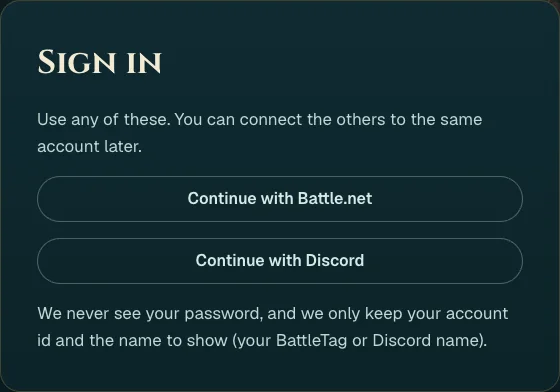
On the site: pick Battle.net or Discord. 
Connect the app. 
Done: the card says who you're signed in as. -
Play
Your characters link to your account by themselves. The first time only, quit the game completely and start it again (a
/reloadisn't enough), then log in. After that, each/reloador logout sends your records within a few minutes.If a character still isn't linked after that, press Get a link code on its account's card, press Copy, and paste it into WoW chat with Ctrl+V.

Only if linking didn't happen on its own.
What it does
- Your kills count. It uploads your addon's records so a kill you saw can confirm someone else's, and theirs can confirm yours. Only confirmed kills rank.
- Your records are signed. Each WoW account gets its own key, kept on your PC, so nobody can post records in your name.
- Your saved data comes back. If the game loses the addon's saved data, the app puts it back before you log in.
- Battle reports fill in during the fight. The Wanted addon keeps the game's combat log on, and the app posts the player-versus-player deaths in it within a few minutes, without a /reload.
- Nothing runs in the game. It reads the Wanted addon's saved file and the game's combat log. It never reads other addons' data.